×
- Hello
- Login or Register
- Quick Links
- Live Chat
- Track Order
- Parts Availability
- RMA
- Help Center
- Contact Us
- Shop for
- Audi Parts

My Garage
My Account
Cart
Genuine Audi TT Quattro Dash Panels
Dashboard- Select Vehicle by Model
- Select Vehicle by VIN
Select Vehicle by Model
orMake
Model
Year
Select Vehicle by VIN
For the most accurate results, select vehicle by your VIN (Vehicle Identification Number).
4 Dash Panels found
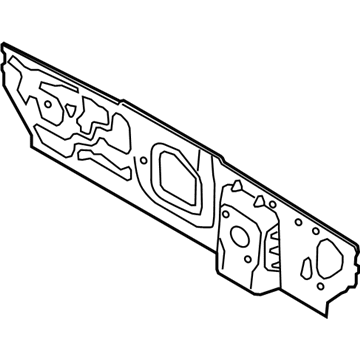
Audi TT Quattro Dash Panel Part Number: 5Q1-803-155-B
$210.58 MSRP: $294.93You Save: $84.35 (29%)Ships in 1-2 Business Days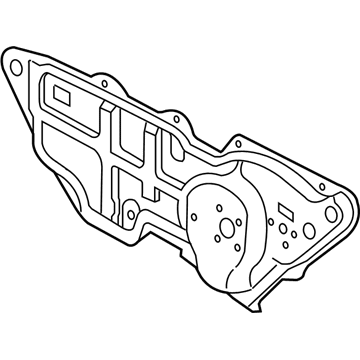
Audi TT Quattro Dash Panel Part Number: 1J1-721-039-AF
$138.03 MSRP: $193.32You Save: $55.29 (29%)Ships in 1-2 Business Days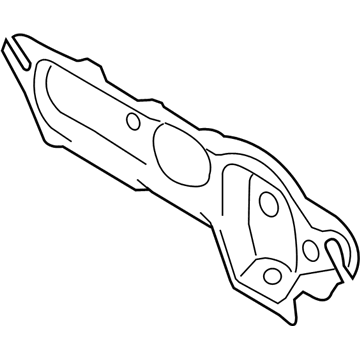
Audi TT Quattro Dash Panel Part Number: 8J1-804-011-E
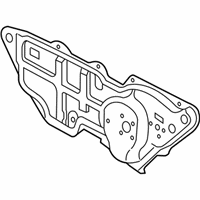
$321.29 MSRP: $449.99You Save: $128.70 (29%)Ships in 1-2 Business DaysAudi TT Quattro Dash Panel Part Number: 8J1-804-011-H
$181.56 MSRP: $254.28You Save: $72.72 (29%)Ships in 1-2 Business Days
Audi TT Quattro Dash Panels
Choose original equipment manufacturer Dash Panels for great performance and strong durability. They use Audi's official craftsmanship and high-grade materials, and meet strict quality standards. Are you looking for quality Dash Panels at a good price? Come to our online store. We carry a wide range of genuine parts for your Audi TT Quattro and the prices are competitive. Each part comes with the manufacturer's warranty. You can install with confidence and get steady results. Over time, you'll save money and avoid hassle. Keep your maintenance simple and protect your vehicle with OEM parts. Get the quality your TT Quattro needs now.
Audi TT Quattro Dash Panels Parts and Q&A
- Q: How to remove and install the left-side under-dash panel (Dash Panels) on Audi TT Quattro?A:Using a small screwdriver, unclip the left side instrument panel end trim panel and remove it. Remove the hood latch release cable handle and three screws on the side of the panel. Remove the panel screws, pull the under-dash panel out of the three securing clips, and pull the sides of the frame outward. Carefully position the under-dash panel to allow access to electrical components, release the three retaining tabs, and remove the data link connector. Depress the retaining tabs and disconnect the harness connectors for the headlight switch and dimmer. Remove the under-dash panel. To install the left side under-dash panel, check the securing clips to confirm installation and position, install the harness connectors for the headlight switch and dimmer, and install the data link connector. Guide the holder into the mount at the pedal cluster and position the under-dash panel into the securing clips. Install the panel screws, the hood latch release cable handle, and the three screws on the side of the panel, then install the left side instrument panel end trim panel.
Related Audi TT Quattro Parts
 Audi TT Quattro Brake Booster
 Audi TT Quattro Bumper
 Audi TT Quattro Camber and Alignment Kit
 Audi TT Quattro Heater Core
 Audi TT Quattro Interior Lights
 Audi TT Quattro Mirror Cover
 Audi TT Quattro Vehicle Speed Sensors
 Audi TT Quattro Washer Pump
 Audi TT Quattro Weather Strip
 Audi TT Quattro Windshield Wiper Motors
 Audi TT Quattro Wiper Blade
 Audi TT Quattro Wiper Pulse Module
Browse by Year
2023 Dash Panels 2022 Dash Panels 2021 Dash Panels 2020 Dash Panels 2019 Dash Panels 2018 Dash Panels 2017 Dash Panels 2016 Dash Panels 2015 Dash Panels 2014 Dash Panels 2013 Dash Panels 2012 Dash Panels 2011 Dash Panels 2010 Dash Panels 2009 Dash Panels 2008 Dash Panels 2006 Dash Panels 2005 Dash Panels 2004 Dash Panels 2003 Dash Panels 2002 Dash Panels 2001 Dash Panels 2000 Dash Panels